For Jira admins
Install Solid Calendar from the Atlassian Marketplace. There is nothing else to set up: everyone with access to Jira can open it while the app has an active licence.
Default start and end fields
Solid Calendar's configuration page sets which date fields new calendars use by default. Open it from Jira's app management: find Solid Calendar under your apps and choose Configure (or Get started).
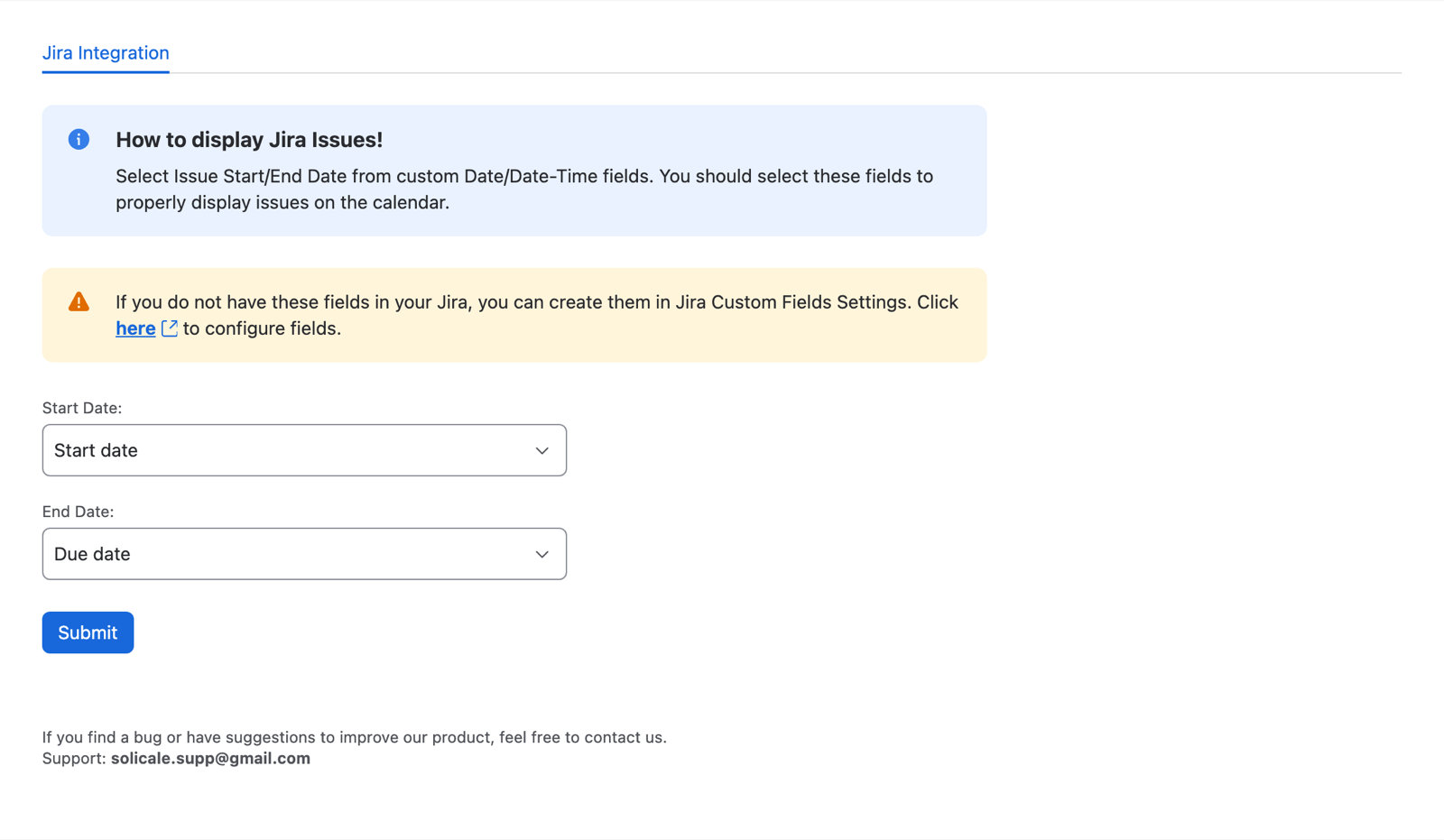
- Choose a Start Date: and an End Date: field. Any date or date-time field works, custom fields included.
- Choose Submit. You see Start/End field has been mapped.
This saves your own default. If you're a Jira administrator, it also becomes the default for everyone on the site who hasn't picked their own. People can still choose other fields for each calendar.
Need a field like "Start date" that your Jira doesn't have yet? Create a custom date field in Jira's custom fields settings; the page links there.
Who can use it
- Everyone who can use Jira on the site, while the app's licence is active. Without one, people see Solid Calendar needs an active licence on this site. Ask your Jira administrator to check the app licence.
- Calendars and Google or Outlook connections belong to the person who made them. Nobody else sees them.
- Solid Calendar reads and changes Jira issues as the person using it, so Jira's project and issue permissions apply.
Data and privacy
- Solid Calendar is built on Atlassian Forge. Calendars, settings and connections are stored in the app's Forge storage in Atlassian's cloud.
- The app talks only to Google (
googleapis.com) and Microsoft (graph.microsoft.com,login.microsoftonline.com), and only for accounts people connect. - Google access: calendars only (
calendar). Microsoft access: your calendars and basic profile (Calendars.ReadWrite,User.Read, sign-in). - Sign-in to Google or Microsoft passes through
auth.solicale.com, which only sends you back to Jira and stores nothing. - Disconnecting an account in Solid Calendar removes it from the app. People can also remove the app's access in their Google or Microsoft account settings.
Read the full privacy policy and EULA.